How to Register a .PK Domain: Step by Step
 By Muhammad Khalil Arshad
Founder, Nuskia
Updated
13 min read
In this guide16 sections
- 01What is a .pk domain?
- 02Types of .pk domains
- 03.pk or .com?
- 04How to pick a good name before you register a PK domain
- 05PKNIC naming rules for .pk domains
- 06How to register a PK domain, step by step
- 07Who should own your domain after you register it?
- 08What if your name is taken?
- 09Quick checklist before you pay
- 10Domain and hosting: what is the difference?
- 11Email on your domain
- 12Renewals and safety for your .pk domain
- 13Common mistakes when you register a PK domain
- 14How Nuskia can help you register a PK domain
- 15Frequently asked questions
- 16Final thoughts
Here is how to register a PK domain, which is a website address that ends in .pk, such as yourbrand.pk or yourbrand.com.pk. You pick a name, choose an extension, and register it through an approved registrar. Keep the domain in your own name, use correct contact details and set a renewal reminder.
Your domain is your online address. People type it, share it and trust it. Your email also uses it. So the name you pick matters.
Many owners rush this step. Knowing how to register a PK domain the right way saves you from this. Later they find the name is taken, hard to spell or owned by a web designer instead of them. Those mistakes cost time and money.
In this guide, we show how to register a PK domain in plain words. We cover the types of .pk domains, naming rules, the registration steps and how to keep your domain safe. We also compare .pk with .com, since many businesses ask.
One honest note. Rules, prices and policies change. Always confirm the latest details with PKNIC (the .pk registry) or your registrar before you pay.
What is a .pk domain?
A domain name is the address of your website. In nuskia.pk, the name is “nuskia” and “.pk” is the extension. The extension “.pk” is the country code for Pakistan.
A .pk domain tells visitors your business is linked to Pakistan. It can build local trust. It also helps people in Pakistan remember that you serve them.
PKNIC is the organization that manages the .pk domain space. You usually register through a registrar, which is a company that handles the sale and setup for you.
Types of .pk domains
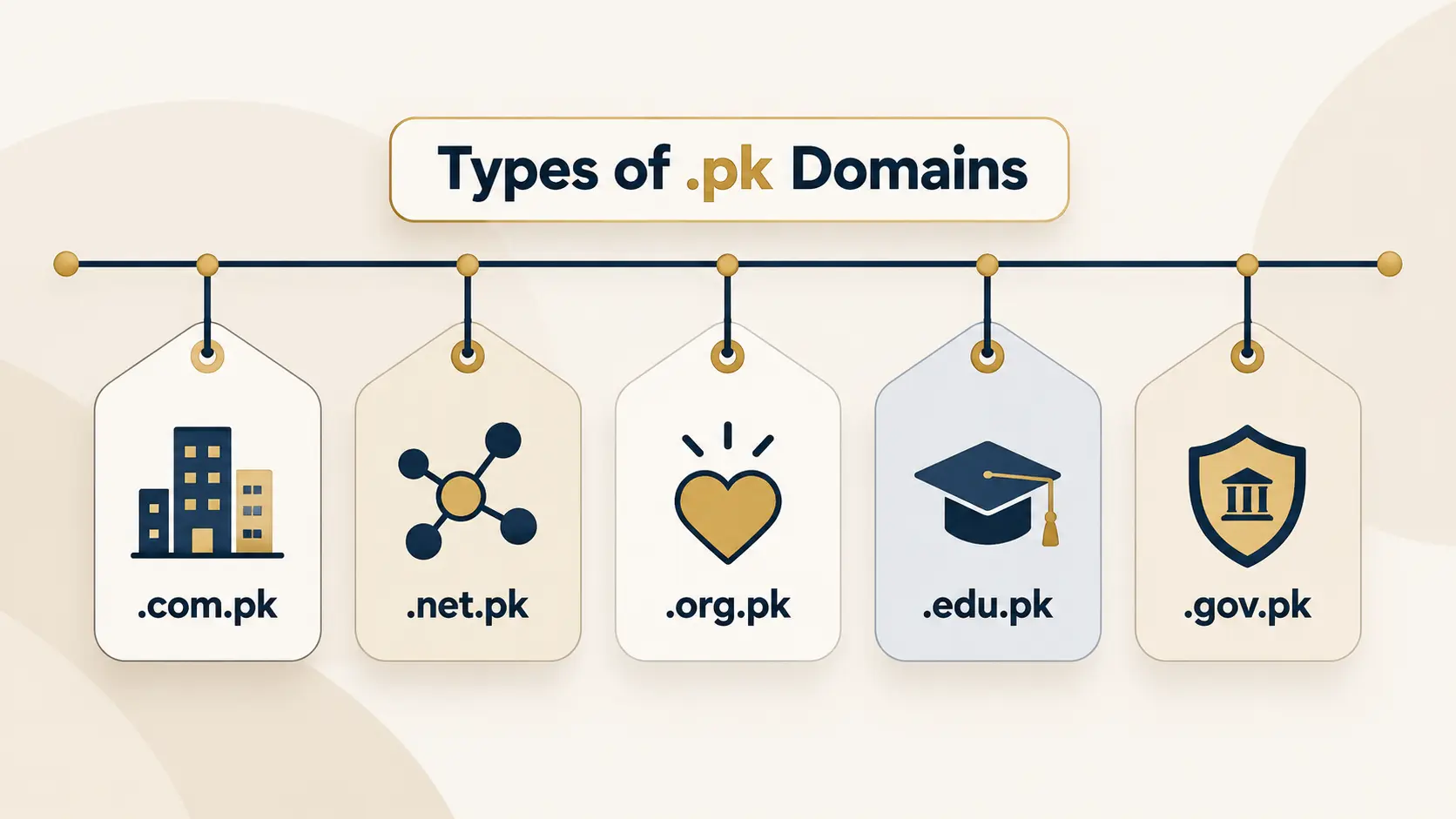
You have a few choices. Each one has a purpose. Here is a simple summary based on PKNIC’s published domain structure.
| Domain ending | Who it is for |
|---|---|
| .pk | General names with no category, such as example.pk |
| .com.pk | General businesses and individuals |
| .net.pk | Network-related businesses |
| .org.pk | Non-profit organizations |
| .biz.pk | General businesses and promotional sites |
| .web.pk | Websites |
| .fam.pk | Families and individuals |
| .edu.pk | Educational institutions |
| .ac.pk | Academic and educational use |
| .gov.pk | Government of Pakistan (and related regional endings) |
Some endings have special rules. For example, .gov.pk and .edu.pk have their own requirements. A normal business usually picks .pk or .com.pk.
.pk or .com?
This is the question we hear most. Here is a fair view.
Why choose .pk
- It signals a link to Pakistan.
- It can feel more local to Pakistani customers.
- Short names may be available when the .com is taken.
- It fits businesses that serve Pakistan only.
Why choose .com
- It is the most familiar ending worldwide.
- It suits businesses that plan to sell abroad.
- Many people type .com by habit.
Can you use both?
Yes. Many businesses register both. They use one as the main site and point the other to it. This protects your brand and catches mistyped addresses.
What about SEO?
Google can treat country-code domains such as .pk as a signal for your target country. A .com does not tell Google a country by itself. So if you serve Pakistan only, .pk can be a clear signal. If you serve many countries, .com is often easier.
The domain ending is only one small factor. Content, speed, trust and links matter much more. Read our guide on AI search optimization and our guide on SEO cost in Pakistan to see what matters most for visibility.
How to pick a good name before you register a PK domain
A good domain name is short, clear and easy to say.
Tips for a strong name
- Keep it short. Shorter names are easier to remember and type.
- Make it easy to spell. If you must spell it on a call, it is too hard.
- Say it out loud. Does it sound clear on a phone call?
- Use your brand name. It is the best choice for long-term trust.
- Avoid hyphens and numbers. They cause typing mistakes.
- Avoid copying others. Do not use a name that looks like another brand. This can cause legal problems.
- Think about growth. Pick a name that still fits when you add new services.
- Check social handles. Try to match your name on Facebook, Instagram and TikTok.
- Check trademark risks. A quick search can save you trouble.
Should you put keywords in the name?
A keyword in the name, such as “lahore-dentist”, may look helpful. But it can look spammy and hard to remember. A strong brand name is usually better for the long term. Your content and site do the SEO work.
City names
Using a city in the name limits you. If you plan to grow beyond one city, pick a name that does not tie you to a place.
PKNIC naming rules for .pk domains
PKNIC publishes rules for .pk names. In general, these are the key points:
- Length. A name can be up to 63 characters.
- Second-level .pk names. Names directly before .pk, like
example.pk, need at least four characters. Rules also restrict names that clash with the category endings. - Third-level names. Names under endings such as .com.pk can be shorter, even one character, though reserved labels apply.
- Hyphens. A name cannot start or end with a hyphen, and cannot have two hyphens in a row.
- Reserved and blocked names. Some names are not allowed.
- No edits after registration. Once a domain is registered, its name cannot be changed. Check spelling twice before you pay.
These rules can change. Check the PKNIC page for the latest.
How to register a PK domain, step by step
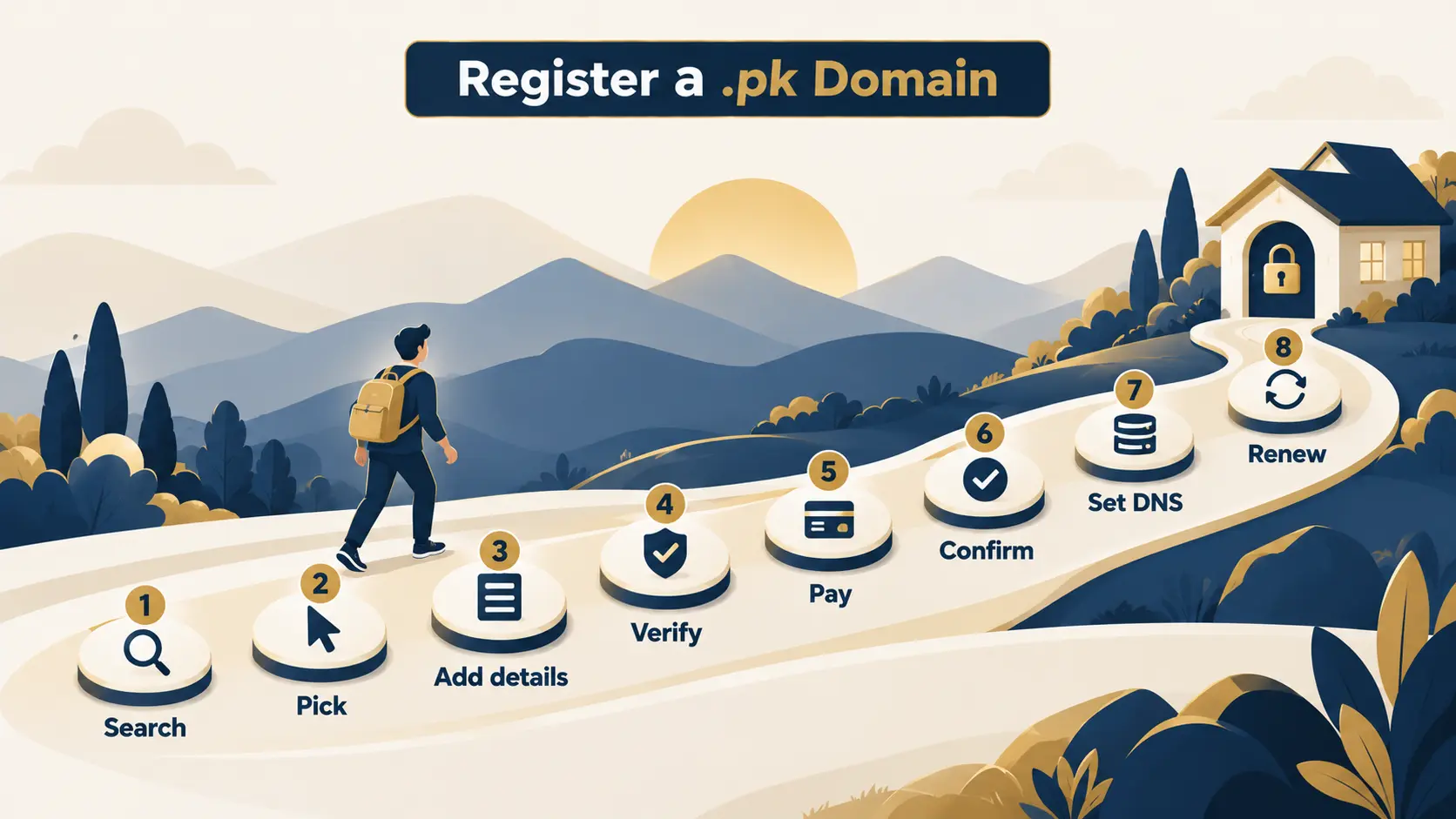
Here is how to register a PK domain in eight simple steps. The details depend on your registrar.
Step 1: Pick two or three name ideas
Have backups. Your first choice may be taken.
Step 2: Check if the name is available
Use a registrar’s search box. Type the name and choose the ending. The tool shows if it is free.
If it is taken, try another ending, a small change or another name. Do not pick a name that is almost the same as a big brand.
Step 3: Choose a trusted registrar
Pick a registrar that is approved to sell .pk domains. Look for clear terms, fair renewal prices, good support and easy control panel. Check reviews from real customers.
Step 4: Prepare your details
You will need accurate contact information. This usually includes:
- Your name or business name
- Address
- Phone number
- A working email address you can access for years
Use real details. Fake details can cause problems later and can lead to a loss of the domain.
Step 5: Register and pay
Add the domain to your cart. Choose the registration period. Pay with a method your registrar accepts. Keep your receipt.
Step 6: Confirm your email
Your registrar may email you to verify your contact details. Click the link. If you ignore it, the domain may be suspended.
Step 7: Set up your DNS and records
DNS tells the internet where your website and email are. You will point your domain to your hosting provider. Your host or developer will give you the settings.
Step 8: Save everything
Save these in a safe place:
- Registrar login
- Domain name and expiry date
- Email used for the account
- Any authorization codes
Who should own your domain after you register it?
You should. This is very important.
When a web designer or agency offers to “handle” your domain, make sure it is registered in your name or your business name. You should have your own login, or at least full admin access.
If the domain is in someone else’s name, you may lose control. You may not be able to move it, change settings or renew it. Some owners have lost their site this way.
Ask these questions:
- Is the domain registered in my name?
- Do I have the login?
- Who gets the renewal emails?
- Can I transfer the domain to another registrar?
Get the answers in writing. We also explain ownership in our guide on how to choose a web design company.
What if your name is taken?
This happens a lot. Do not panic. You have good options.
- Try another ending. If
yourbrand.pkis gone, checkyourbrand.com.pkoryourbrand.com. - Add a small, clear word. For example, add your city, your service or the word “official”. Keep it easy to say.
- Change the order of words. Sometimes a small change makes a better name.
- Check if the owner is using it. If the domain is parked or empty, the owner may sell it. Be careful. Use a trusted broker and never pay before you confirm who owns it.
- Pick a new brand name. If every option is messy, a fresh name may save you trouble later.
Do not choose a name that looks like a famous brand. It can cause legal trouble and confuse customers.
Quick checklist before you pay
Run through this list before you finish how to register a PK domain and pay:
- The spelling is correct. You cannot edit it later.
- The name is easy to say and type.
- The name has no hyphens or numbers, unless you really need them.
- You checked social media handles.
- You did a quick trademark check.
- The registrant is you or your business.
- The contact email is one you can always open.
- The phone number and address are real.
- You know the expiry date and the renewal price.
- You saved your login in a safe place.
Domain and hosting: what is the difference?
Many beginners mix these up.
- Domain: your address, such as yourbrand.pk.
- Hosting: the place where your website files live, like land and a building.
- DNS: the signpost that connects the address to the building.
You need both a domain and hosting. You can buy them from the same company or from different ones. If you buy from different companies, you must connect them with DNS settings.
Choosing hosting
Once you know how to register a PK domain, the next job is to host it.
Look for these:
- Good speed, ideally with servers near your visitors
- Free SSL certificate
- Daily backups
- Good security
- Real support, in your time zone
- Room to grow
Our team can help you with domain registration and web hosting in Pakistan.
SSL
SSL puts the little padlock on your site and makes it use https. It protects data and builds trust. Browsers warn visitors about sites without it. Most good hosts offer it free.
Email on your domain
A professional email address builds trust. info@yourbrand.pk looks better than a free email address.
You can set up business email in two main ways:
- Email from your host. Often cheaper, with basic features.
- A business email service. Often more reliable, with better spam filters and apps.
Whichever you pick, set up these records so your emails do not land in spam:
- SPF: says which servers may send for your domain.
- DKIM: adds a signature to prove emails are real.
- DMARC: tells receivers what to do with fake mail.
Ask your developer or host to set them up. Test by sending to a few different inboxes.
Renewals and safety for your .pk domain
A lost domain is a big problem. After you learn how to register a PK domain, learn how to protect it.
Set renewal reminders
Domains expire. Put the expiry date in your calendar with an alert at least a month before. Turn on auto-renew if your registrar offers it. Make sure the payment card on file is valid.
Use a safe email
The email on your domain account should be one you can access. Do not use an old address. Registrars send important notices there.
Secure your login
Use a strong, unique password. Turn on two-factor sign-in if available. Do not share your login in chat or email.
Lock your domain
Ask your registrar about a transfer lock. It helps prevent unauthorized transfers.
Keep your contact details current
If your phone or email changes, update it right away.
Watch for scams
Be careful with emails that say your domain will expire and ask for payment through a strange link. Always log in to your registrar’s real site to check.
Common mistakes when you register a PK domain
- Waiting too long. Good names get taken, so learn how to register a PK domain early.
- Registering in a designer’s name. You lose control.
- Using a fake or old email. You miss renewal notices.
- Picking a hard name. People cannot type or remember it.
- Skipping the .com. A competitor may take it.
- Forgetting to renew. Your site and email go offline.
- Ignoring trademarks. You may be forced to change your name.
- Mixing up domain and hosting. You need both, and you must connect them.
- Falling for scam notices. Always check at the source.
How Nuskia can help you register a PK domain
We help Pakistani businesses with domain registration, hosting and setup. Here is what you get:
- Help choosing a good name and ending
- Registration in your name, with you in control
- Hosting, SSL and email setup
- DNS, SPF, DKIM and DMARC records
- Clear renewal reminders
- Local support
We never keep your domain “hostage”. You own your name.
Learn more on our domain registration and web hosting page. If you also need a new site, see our website design company in Lahore.
Frequently asked questions
What is a .pk domain?
A .pk domain is a website address that ends in .pk, the country code for Pakistan. You can register it directly as name.pk or under an ending such as name.com.pk. It links your brand to Pakistan.
What is the difference between .pk and .com.pk?
Both belong to Pakistan’s domain space. A .pk name has no category in the middle. A .com.pk name sits under the commercial category. Rules for names differ a little. For example, direct .pk names need at least four characters before the .pk.
How do you register a PK domain?
To register a PK domain, pick a name, check that it is free, choose a trusted registrar, enter accurate contact details, pay and confirm your email. Then connect it to your hosting through DNS. Save your login and your expiry date.
Is .pk or .com better for SEO?
Neither is magic. A .pk ending can help show that you serve Pakistan. A .com is common worldwide. Content, speed, trust and links matter much more. Choose the one that fits your market, or register both.
Can I change my domain name after I register it?
No. A registered domain name cannot be edited. If you make a spelling mistake, you must register a new name. Check carefully before you pay.
How long can I register a domain for?
Registrars offer different periods, often one year or longer. A longer period can save you from forgetting to renew. Check the options with your registrar.
Who should own my domain?
You should. It should be registered in your name or your business name, with you holding the login. Never let a designer or agency be the only owner.
Can Nuskia help me register a PK domain?
Yes. We can show you how to register a PK domain, and we help you register it: you pick a name, we register it in your own name and connect it to hosting, SSL and email. Request a domain check on our domain page.
Final thoughts
A domain is a small purchase with a long life. Now you know how to register a PK domain. Take your time when you register a PK domain, because the name cannot be edited later. Pick a short, clear name. Register it in your own name. Use accurate details. Set renewal reminders. Connect it to good hosting and email.
Do these things once, and you protect your brand for years.
Need help with a domain or hosting? Request a domain check and our team will guide you. You can also contact us with questions.